
TraderScript
Your trading rules, actually enforced
TraderScript is a free iPhone app that enforces the trading rules you set for yourself: it locks your trading platform outside your session window and stops you once you hit your own limits. It was built by Montreal developer Emon Dhar after he lost a funded account breaking his own rules, and it gives no signals, predictions or advice.
Free · Requires iOS 16.2
“I lost a funded account. No stop losses, oversized positions, overlapping trades. This is the system I built so I never do that again.”
Emon Dhar, who built it
What it is, and is not
An accountability system that blocks you from breaking your own rules. No signals. No predictions. No advice. Just discipline, enforced.
Transparency
Every trade logged. Every violation visible.
Discipline
Two losses in a row, and the session locks.
Realistic approach
No dream selling. Just the process.
What TraderScript does
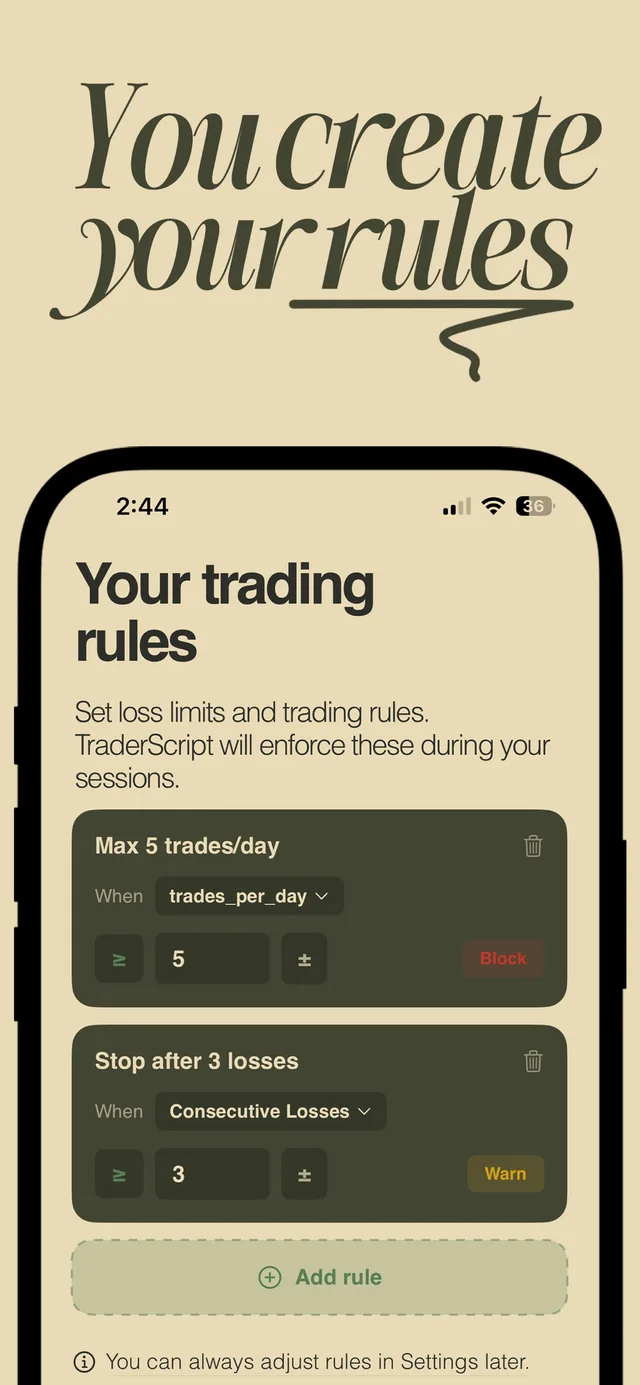
Rules you write yourself
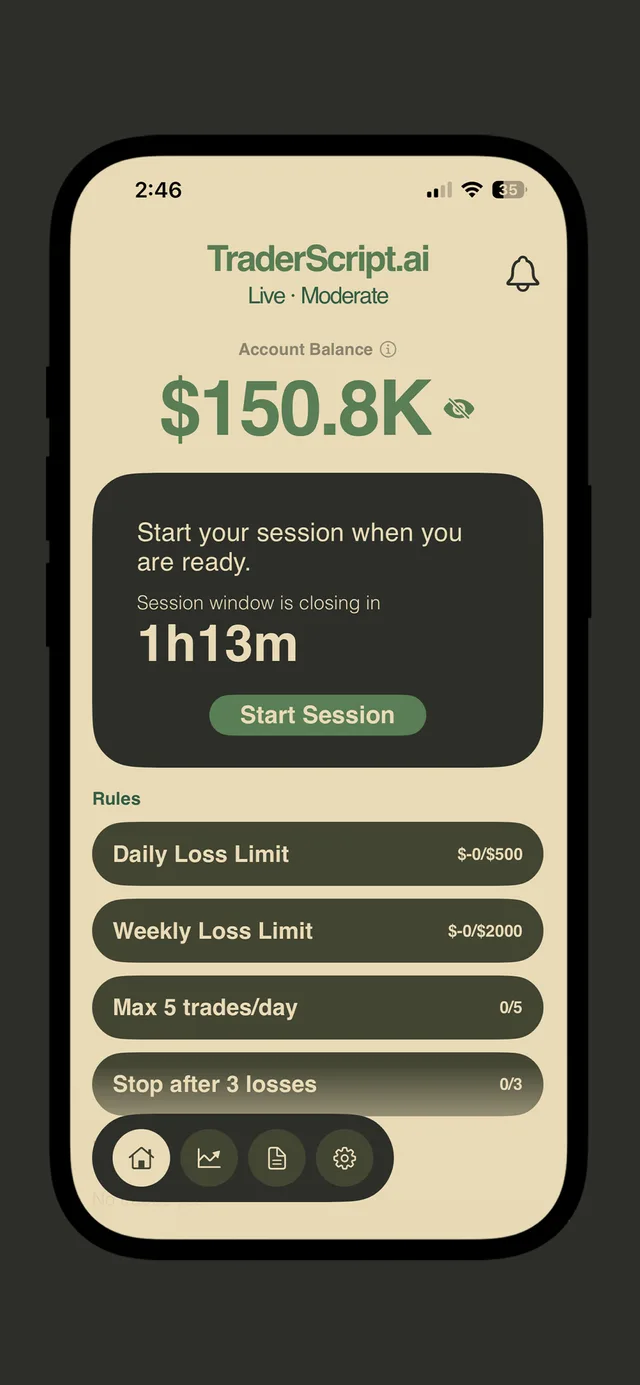
A daily loss limit, a weekly one, a cap on trades per day, a stop after three losses in a row. You set the numbers, because they are yours — the app has no opinion about what they should be.
Block or warn, per rule
Each rule decides what happens when it trips. Some are worth a warning; the ones you break when you are tired are worth a wall.
It locks the platform, not just the mood
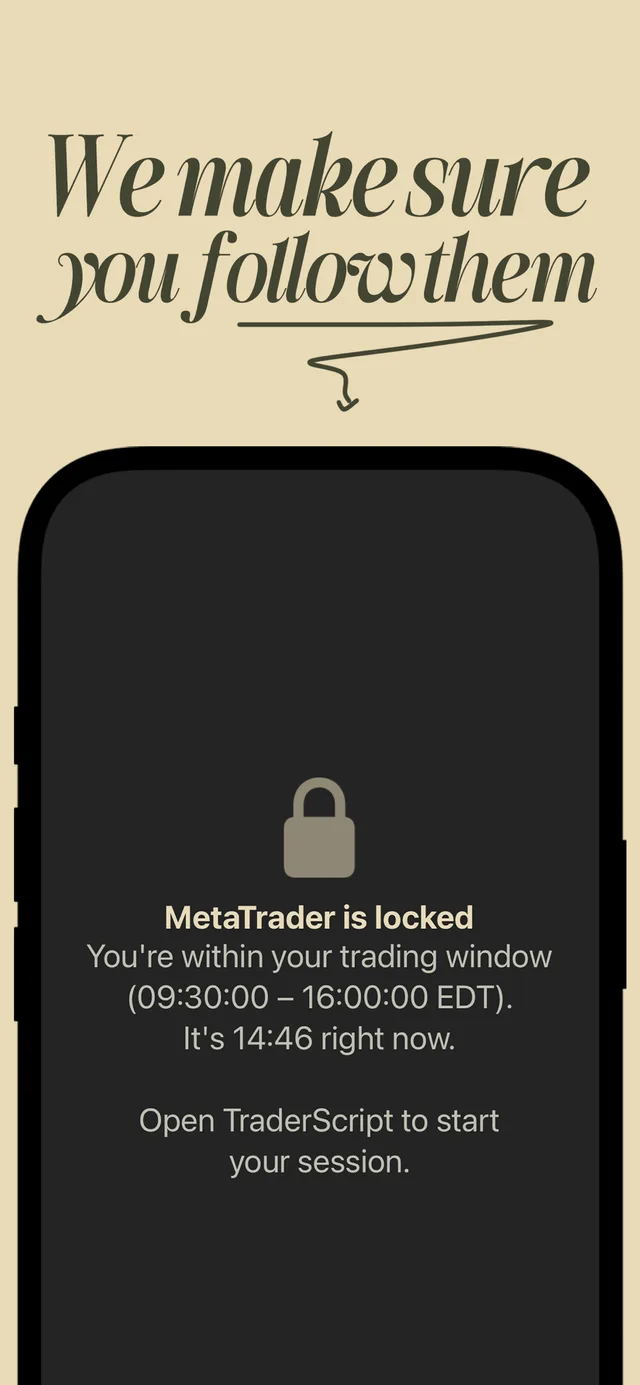
Outside your session window MetaTrader stays locked, with the window printed on the lock screen. A reminder you can dismiss is not a rule — this is the part that makes it one.
Sessions that end
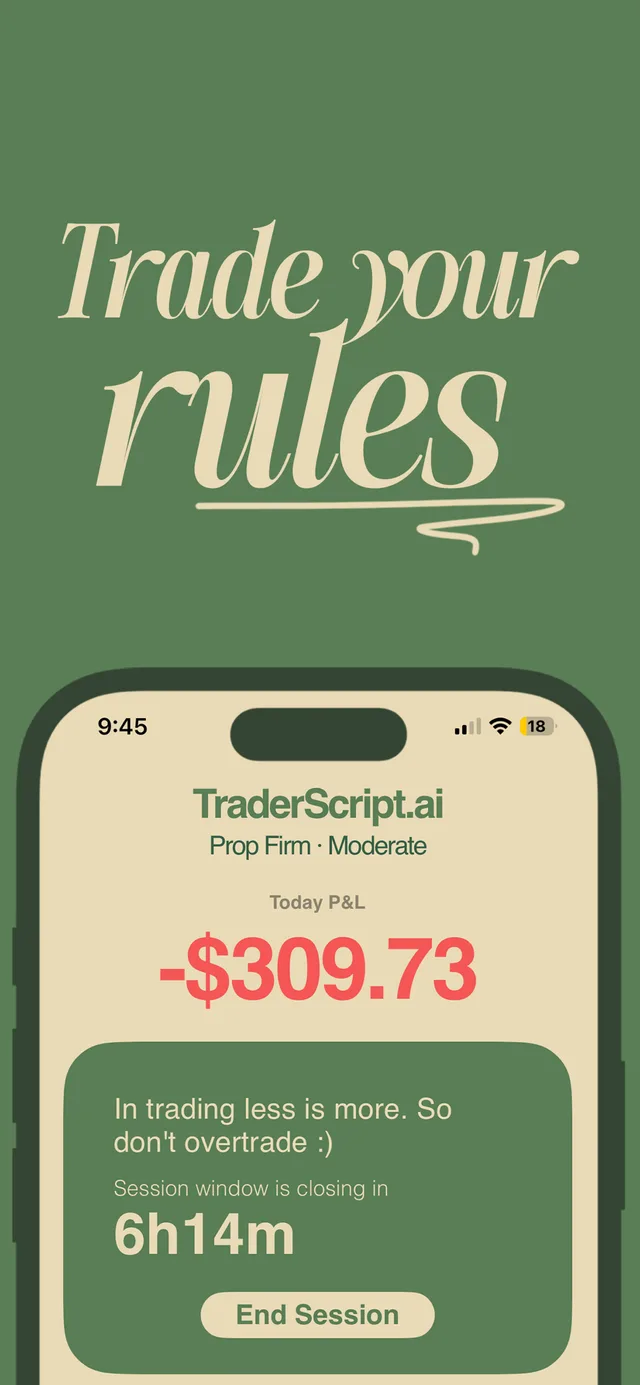
A session starts when you say so and runs a visible countdown. The end is the point: the failure mode being defended against is the trade taken forty minutes after you meant to stop.
Live and prop firm accounts
Pick the account type and a risk profile, and the day's P&L sits at the top where you cannot avoid reading it before opening one more position.
No signals, ever
TraderScript never tells you what to trade, when to enter or where the market is going. It only holds you to the rules you already wrote.
Specifications
- Price
- Free, with a Pro upgrade
- Platform
- iPhone, iOS 16.2 or later
- Size
- 19.1 MB
- Category
- Productivity, Finance
- First released
- August 2025
- Language
- English
- Developer
- Emon Dhar, Montreal
- Official site
- traderscript.ai
Frequently asked questions
What is TraderScript?
TraderScript is a free iPhone app that enforces the trading rules you set for yourself. It locks your trading platform outside the session window you chose and stops you when you hit your own loss limits or trade caps.
Does TraderScript give trading signals or advice?
No. TraderScript gives no signals, no predictions and no financial advice of any kind. It has no opinion about what to trade or when — it only enforces rules you wrote yourself.
Is TraderScript free?
TraderScript is free to download on the App Store, with an optional Pro upgrade.
How does TraderScript actually stop you trading?
TraderScript locks the trading platform on your phone outside the session window you set, and shows the window on the lock screen. Inside a session, each rule you created either warns you or blocks you when it trips.
What rules can TraderScript enforce?
TraderScript enforces daily and weekly loss limits, a maximum number of trades per day, and a stop after a set number of consecutive losses. Each rule is configured to either warn or block.
What does TraderScript require to run?
TraderScript runs on iPhone with iOS 16.2 or later and is a 19.1 MB download.
Who made TraderScript?
TraderScript was made by Emon Dhar, a software developer in Montreal, after he lost a funded account by breaking his own rules — no stop losses, oversized positions, overlapping trades.
Where do I download TraderScript?
TraderScript has its own site at traderscript.ai, and the download button on this page hands off to it. The app is on the iPhone App Store.